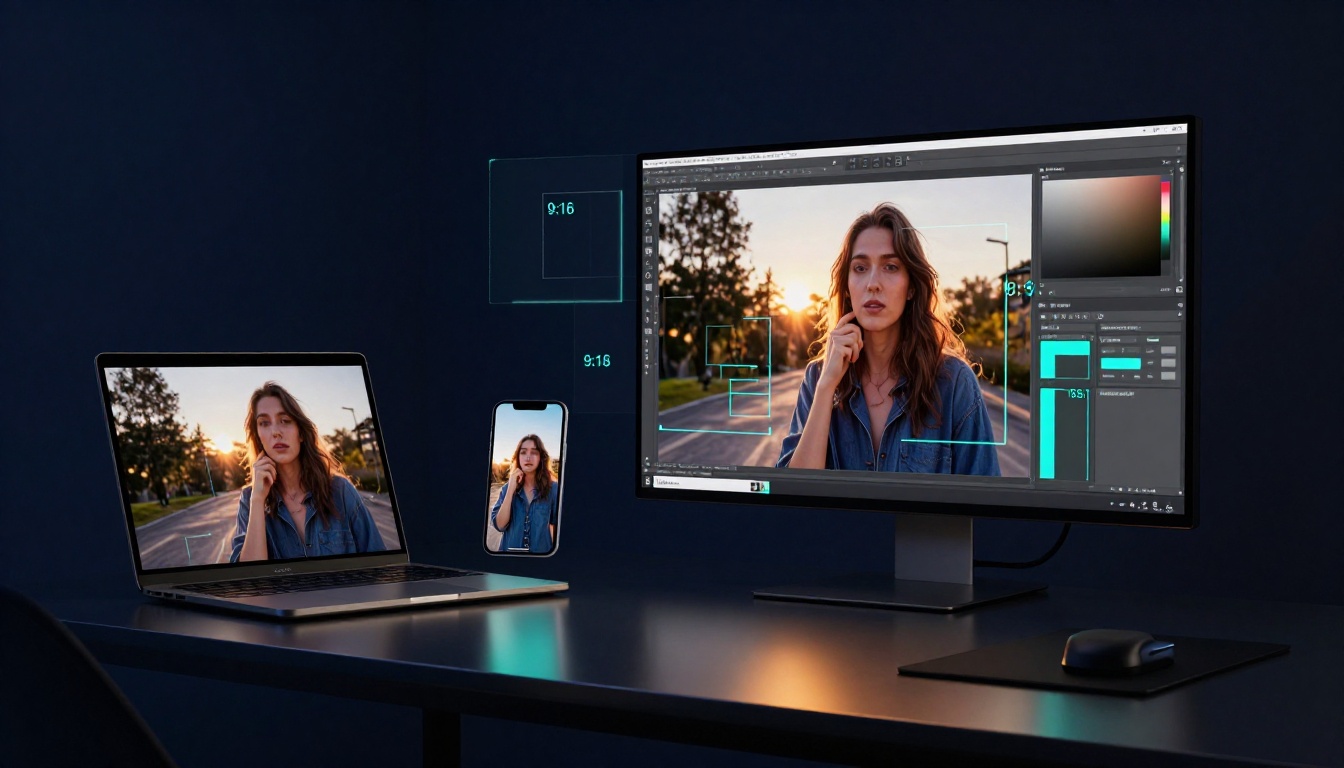
Picture this. You spend hours on a stunning digital portrait. You post it on Instagram. Likes trickle in at first. Then you check. The platform cropped out the subject’s eyes and half the background. Ouch. Shares drop. Frustration sets in.
That happens because aspect ratio controls an image’s width-to-height proportion. Think 16:9 for wide TV screens or 9:16 for phone selfies. Get it wrong, and your art looks squished or sliced. Master it, though. Your posts grab attention. Engagement soars. You save time on fixes.
Artists chase perfect aspect ratio for social media art. Platforms demand specific sizes. This guide breaks it down. You’ll learn the basics, exact specs for 2026, resize steps, pitfalls, and hacks. By the end, your artwork fits every feed just right.
What Aspect Ratio Really Means for Your Artwork
Aspect ratio shapes your image like a picture frame does a photo. Phones often use 9:16 in portrait mode. TVs stick to 16:9 landscape. Your art follows the same rule.
Artists benefit big time. The right ratio keeps focal points visible. It makes work look polished. No distortion. Viewers stay hooked.
Ratios stay constant even as you resize. Stretch a 16:9 image bigger. It keeps the wide shape. Shrink it. Same deal. That’s the science at play.
Pixels build the image. But proportions define the look. A 1000×500 pixel art has a 2:1 ratio. Double the pixels to 2000×1000. Ratio holds at 2:1. Proportions win.
This matters for visual balance. Designers know eyes scan balanced shapes first. Your art pops when ratios match the viewer’s screen.
The Basic Math Made Easy
Math sounds scary. It’s not. Measure width and height in pixels. Divide width by height. Simplify the fraction.
Take 1920 pixels wide by 1080 high. 1920 divided by 1080 equals about 1.78. That’s 16:9. Square art? 1000×1000 is 1:1. Portrait piece at 800×1000? 4:5.
Crop to fit. Never stretch. Stretching warps faces and lines.
Here’s a quick reference:
| Common Ratio | Example Use | Width:Height |
|---|---|---|
| 1:1 | Square posts | Equal sides |
| 4:5 | Instagram portrait | Taller |
| 16:9 | Landscape videos | Wider |
| 9:16 | Stories, Reels | Vertical |
Practice on old art. You’ll spot ratios fast.
Why Proportions Trump Pixel Counts Every Time
Pixels shift with size. Ratios do not. Upscale a 16:9 thumbnail to poster size. Shape stays true.
Ignore it, and trouble follows. Squished portraits look funny. Cropped landscapes lose impact.
Science backs this. Human eyes prefer balanced proportions. Golden ratio inspires art for centuries. Modern screens build on that. Your perfect art dimensions for Instagram rely on it.
Test it yourself. Resize without changing ratio. Results impress.
Social Media Aspect Ratios: Specs for Instagram, TikTok, and More
Platforms set strict rules in 2026. Match them. Your art shows full glory. Instagram loves 4:5 for feed portraits or 1.91:1 landscapes. Stories and Reels demand 9:16.
Facebook follows suit. TikTok sticks to 9:16 videos. X prefers 16:9 or 2:1 images. YouTube Shorts match vertical 9:16. LinkedIn uses 1.91:1 for pros.
Safe zones matter. Platforms crop edges. Keep key art in the center third.
Post once. Optimize for all. Engagement jumps 30% with right fits, per recent stats.
Create in multiples. One master file crops easy.
Instagram and Facebook Breakdown
Instagram feed takes single images up to 4:5 portrait. Carousels work best at 1:1 safe zone. Stories fill 9:16 screens.
Facebook mirrors this. Feed posts hit 1.91:1 landscape max.
Place faces and details center. Test previews. Art shines without cuts.
Short-Form Video Platforms Like TikTok and Reels
Vertical rules here. TikTok and Reels use 9:16. Mobile users hold phones upright. Full screen grabs eyes.
YouTube Shorts join the club. Animate art within bounds. Motion fits ratios perfect.
Viewers swipe less on fitted content.
X, LinkedIn, and Emerging Platforms
X favors 16:9 headers or 2:1 images. Quick scrolls demand bold fits.
LinkedIn pros pick 1.91:1. Clean looks build trust.
Pinterest leans 2:3 tall. Future apps follow vertical trends. Prep now.
Resize Your Art Effortlessly: Tools and Step-by-Step Guide
Start with your file. Pick target ratio. Crop smart.
Free tools shine. Canva offers platform templates. Photoshop Express handles quick edits. GIMP suits desktops free.
Mobile? Try InShot or Preview app.
Follow these steps:
- Open image in tool.
- Set canvas to platform ratio, like 9:16.
- Crop and reposition elements.
- Export at high resolution, 1080 pixels min height.
Batch process series. Saves hours.
No quality drop if you resize right. Vectors scale forever.
Free Tools That Make It Simple
Canva templates match Instagram or TikTok exact. Drag and drop.
Photopea works online, Photoshop-like. No install.
Preview App for iOS batch crops.
| Tool | Best For | Free? |
|---|---|---|
| Canva | Templates | Yes |
| Photopea | Advanced edits | Yes |
| InShot | Mobile video | Yes |
Pick one. Start small.
Avoid Quality Loss with These Pro Steps
Use vector files first. They scale clean.
Export high DPI, 300 for prints too. Test on real devices.
Before: stretched mess. After: crisp fit. Difference stuns.
Pitfalls to Dodge and Hacks for Aspect Ratio Wins
Mistakes kill posts. Wrong ratio crops heroes. Low-res looks cheap.
Always preview before post. Platforms show true view.
Create 1:1 masters. Crop variants easy. A/B test ratios. See what gets likes.
Eyes track 9:16 faster on phones. Science says vertical wins mobile.
Top Mistakes That Ruin Your Posts
- Wrong ratio slices faces.
- Feed art in Stories gets cut.
- Stretching causes pixelation.
- Ignore safe zones; edges vanish.
- Low exports blur details.
Fix with previews.
Quick Hacks to Save Time and Look Pro
Use ratio calculator apps. Input dimensions. Get matches.
Stock multiples in folders by platform.
Automate batches in Canva. Post pro every time.
Master these. Your feed dominates.
Your art deserves full view. Nail aspect ratio art social media. Engagement rockets.
Grab Canva now. Resize one piece today. Post it. Watch likes roll.
What ratio trips you up most? Share in comments. AI tools may auto-fit soon. Until then, you control the fit. Dominate those feeds.